How to Join
Getting kicked on connect?
That usually means your copy of the serverpack is out of date and your launcher didn't update it on its own. You can force the update by hand in either launcher:
Update the ServerpackStep 1: Start the DayZ Launcher
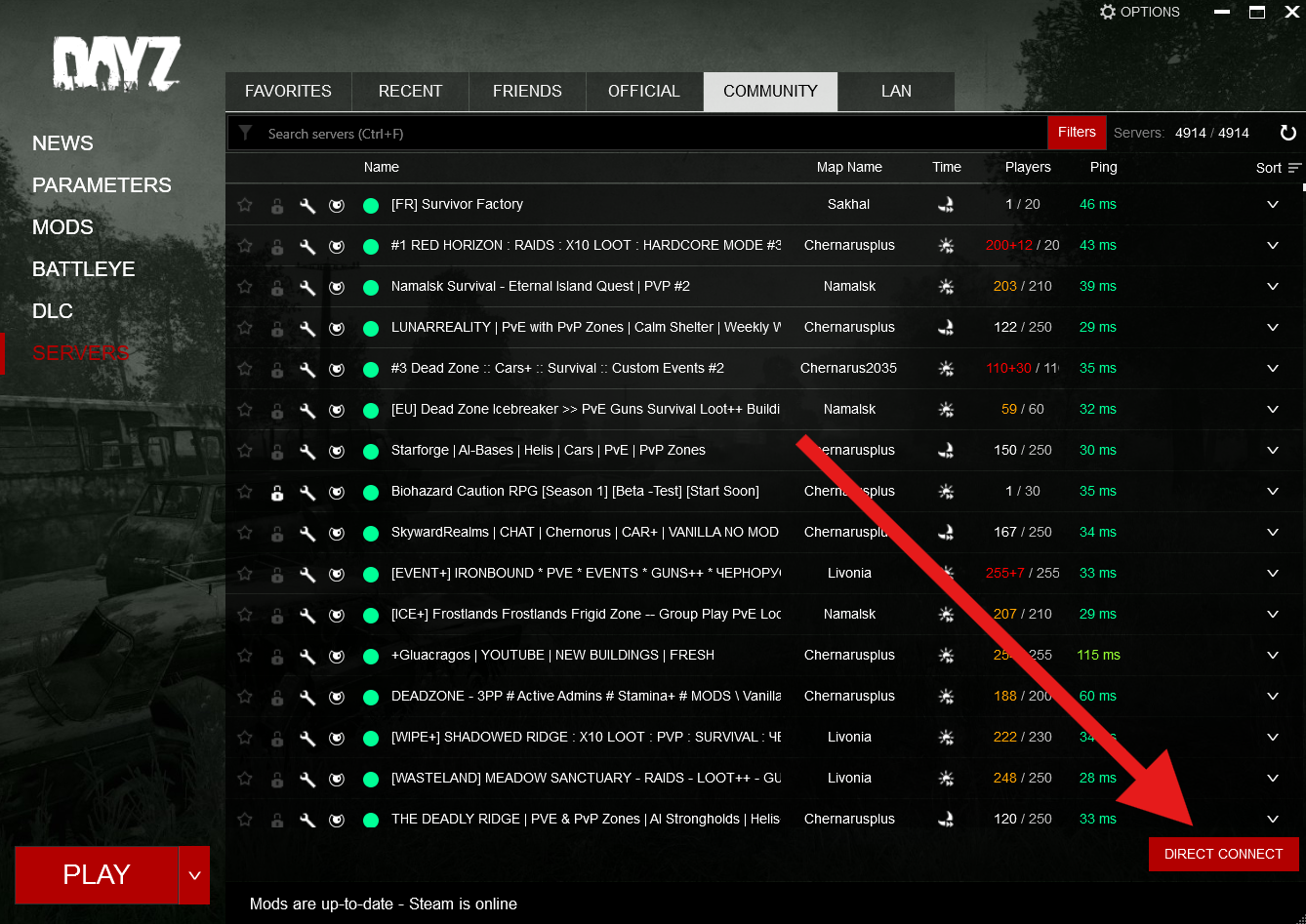
Launch DayZ via Steam and open the server browser.
Step 2: Direct Connect
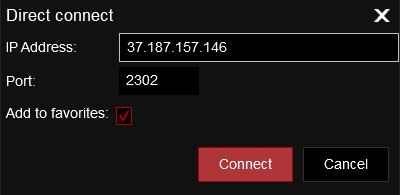
Click on Direct Connect, enter the IP address and Port correctly like shown in the image below.
Step 3: Download Mods and Play
The mods are now being downloaded and afterwards you join the server.
Alternative: DZSA Launcher
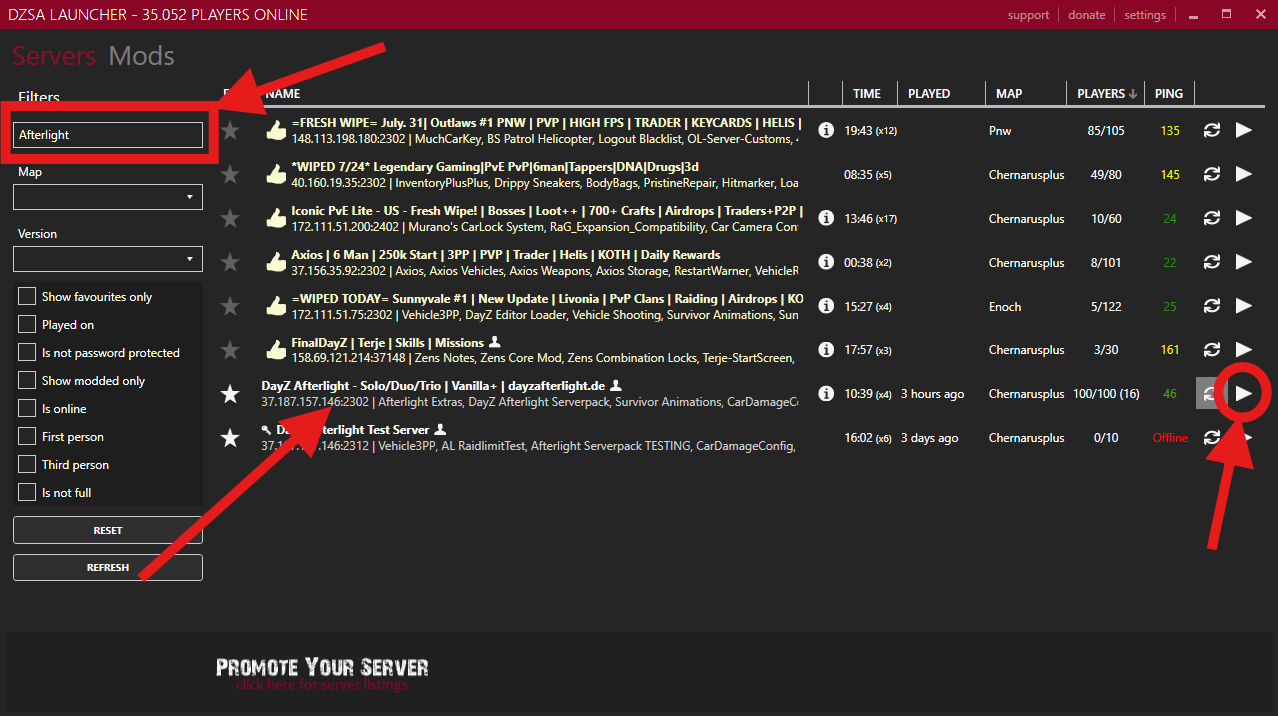
If you use the DZSA Launcher, you don't need Direct Connect. Type Afterlight into the name filter on the left, then click the green play button on the right of our server row. DZSA downloads the required mods for you.
Make sure you pick DayZ Afterlight - Solo/Duo/Trio | Vanilla+ | dayzafterlight.de (37.187.157.146:2302). Right below it you'll see Afterlight Test Server. That's our internal one, so don't join that by mistake.
Server Details
- Server Name: DayZ Afterlight - Solo/Duo/Trio | Vanilla+ | dayzafterlight.de
- IP & Port: 37.187.157.146:2302
- Map: Chernarus
- Max Players: 100
- Restart Schedule: Every 4 hours
Need Help?
If you have any questions or run into issues, join our Discord for support and to connect with the community:
Join Discord