Update the Serverpack
When do I need this?
When we update the DayZ Afterlight Serverpack, your launcher should pull the new version on its own. Sometimes it just doesn't. The download gets stuck, or the launcher keeps showing the old version. Most people find out the hard way: you get kicked the second you try to connect, or the server shows a different mod version than yours.
If that happens, you can force the update yourself. Follow the guide for whichever launcher you use.
Standard DayZ Launcher
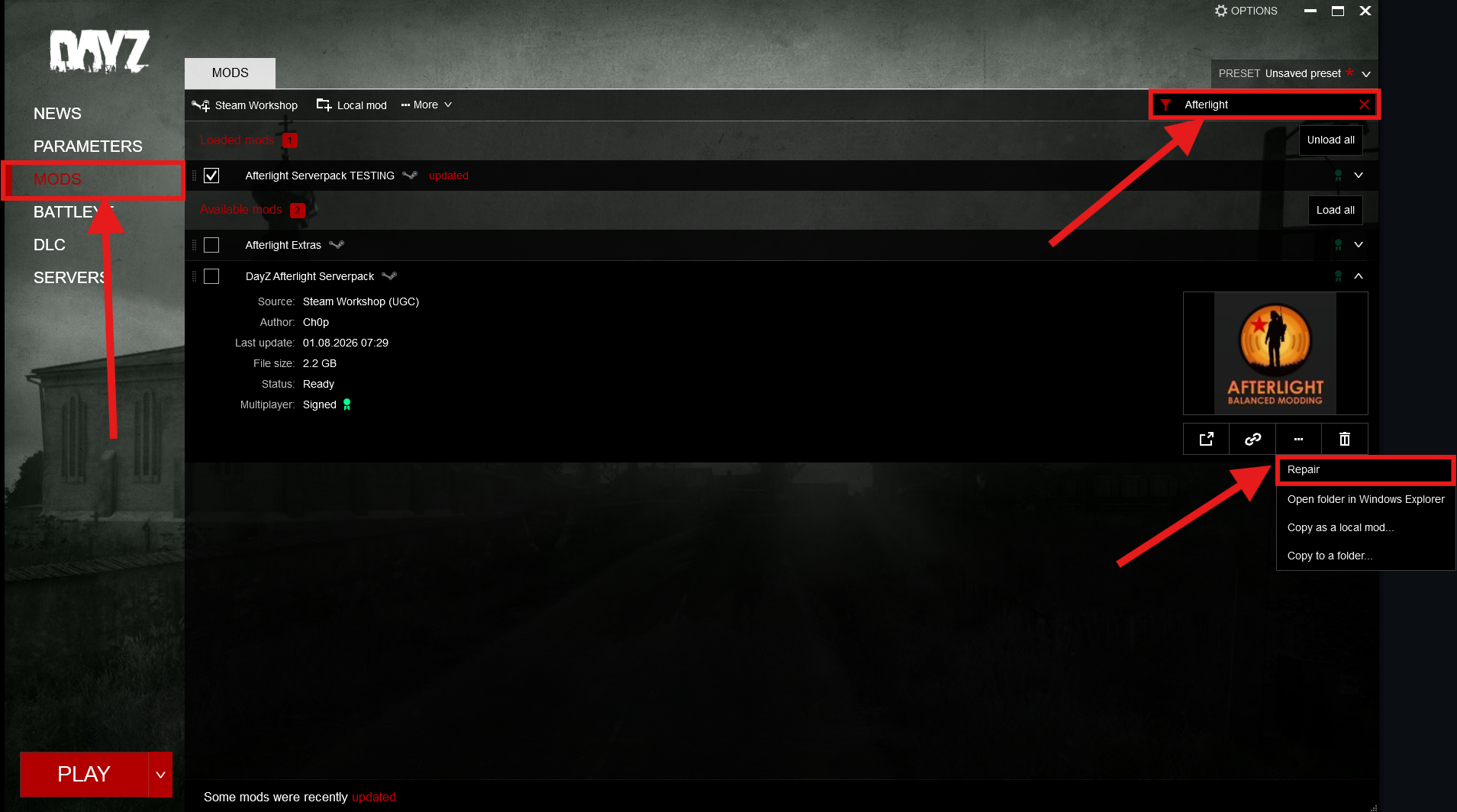
- Open the DayZ Launcher and go to MODS in the left sidebar.
- Type Afterlight into the filter field in the top right.
- Click the arrow on the DayZ Afterlight Serverpack row to expand it.
- Click the … button and choose Repair.
- Wait for the download to finish, then start the game.
The serverpack is about 2.2 GB, so give the repair some time on a slower connection.
DZSA Launcher
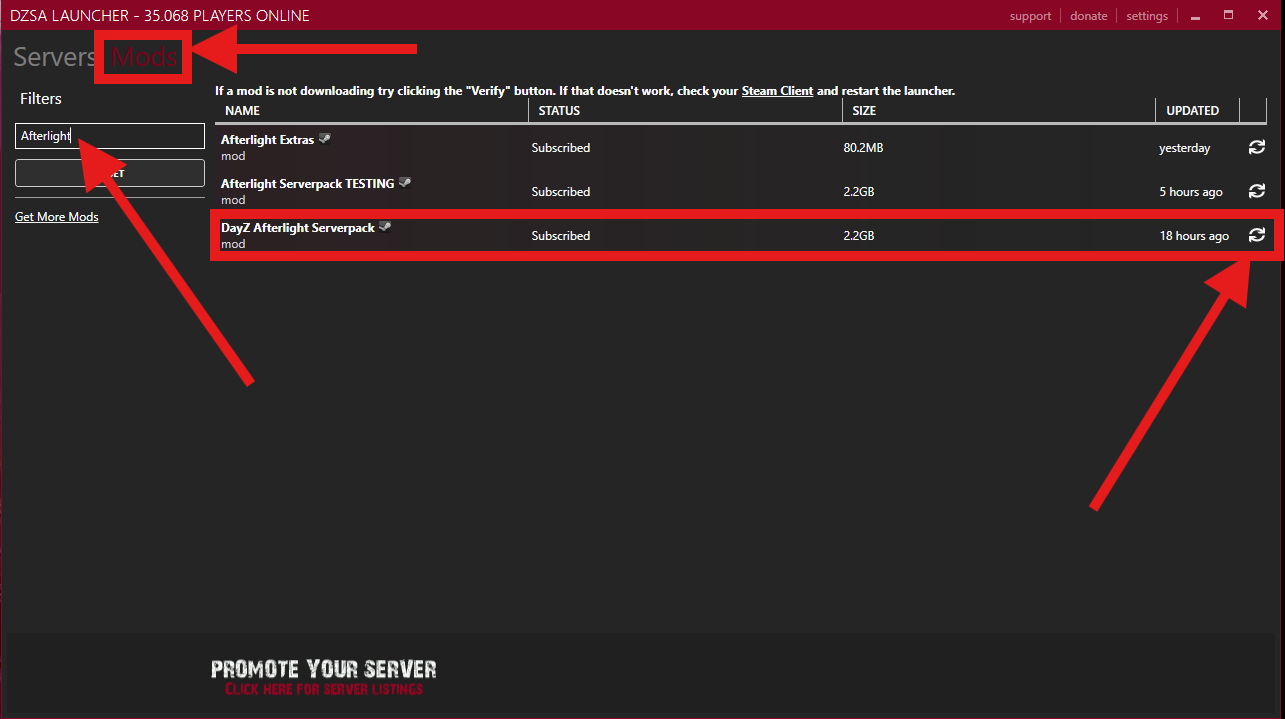
- Open the DZSA Launcher and switch to the Mods tab at the top.
- Type Afterlight into the filter field on the left.
- Find the DayZ Afterlight Serverpack row.
- Click the refresh icon on the far right of that row.
- Wait for the download to finish, then join the server as usual.
Pick the right mod
When you filter for Afterlight you'll also see Afterlight Serverpack TESTING. That's our internal test build, so updating it won't fix anything. The one you want is DayZ Afterlight Serverpack.
Afterlight Extras is a separate mod and a lot smaller. If that one is outdated too, just update it the same way.
Still not working?
- Restart Steam: Mod downloads go through Steam. Close it completely, start it again and try once more.
- Use Verify in DZSA: If a mod won't download, hit the Verify button and restart the launcher.
- Unsubscribe and subscribe again: Open the serverpack in the Steam Workshop, unsubscribe, wait a few seconds, then subscribe again. That forces a clean download.
- Check your disk space: You need about 2.2 GB free, plus a bit more for Steam to unpack it.
Need Help?
Still stuck? Open a ticket in our Discord. Tell us which launcher you're on and what it shows, that saves everyone a round of questions:
Join Discord